Just My Socks is a managed Shadowsocks/V2ray proxy service with plans in Los Angeles, London, Hong Kong and Tokyo. Choose a region and data allowance, then configure the service in a compatible client.
Introduction to Just My Socks
A managed proxy avoids buying a VPS and maintaining your own proxy server. The available plan families are LA, London, HK China Mobile ONLY, Tokyo and Premium Hong Kong.
Location and carrier routing are part of the plan, not just the amount of data. Check the full product name and its network restrictions before ordering.
Just My Socks plans
Compare 17 listed plans by location, monthly data, bandwidth and device limit. Prices are monthly in USD. This article was written on November 16, 2026. Availability and prices may change; refer to the order page for current details.
| Plan | Bandwidth | Monthly data | Monthly price | Devices |
|---|---|---|---|---|
| Los Angeles (LA) | ||||
| Just My Socks LA 500 | 2.5 Gbps | 500 GB | USD 5.88 | Up to 5 simultaneous devices |
| Just My Socks LA 1000 | 5 Gbps | 1 TB | USD 9.88 | Unlimited devices |
| Just My Socks LA 5000 | 5 Gbps | 5 TB | USD 48.99 | Unlimited devices |
| Just My Socks LA 10000 | 5 Gbps | 10 TB | USD 93.99 | Unlimited devices |
| London | ||||
| Just My Socks London 500 | 2.5 Gbps | 500 GB | USD 6.80 | Up to 5 simultaneous devices |
| Just My Socks London 1000 | 5 Gbps | 1 TB | USD 11.29 | Unlimited devices |
| Just My Socks London 5000 | 5 Gbps | 5 TB | USD 59.99 | Unlimited devices |
| Hong Kong — China Mobile only Hong Kong CMI IP transit only; no China Telecom (CT) or China Unicom (CU) transit. | ||||
| Just My Socks HK China Mobile ONLY – 500 | 2.5 Gbps | 500 GB | USD 8.99 | Up to 5 simultaneous devices |
| Just My Socks HK China Mobile ONLY – 1000 | 5 Gbps | 1 TB | USD 14.90 | Unlimited devices |
| Just My Socks HK China Mobile ONLY – 5000 | 5 Gbps | 5 TB | USD 59.99 | Unlimited devices |
| Tokyo | ||||
| Just My Socks Tokyo 100 | 100 Mbps | 100 GB | USD 29.99 | Up to 3 simultaneous devices |
| Just My Socks Tokyo 500 | 200 Mbps | 500 GB | USD 135.99 | Up to 5 simultaneous devices |
| Just My Socks Tokyo 1000 | 500 Mbps | 1000 GB | USD 239.00 | Unlimited devices |
| Just My Socks Tokyo 5000 | 700 Mbps | 5000 GB | USD 1,135.00 | Unlimited devices |
| Premium Hong Kong Supports China Telecom, China Unicom and China Mobile (CT + CU + CM). | ||||
| Just My Socks Premium Hong Kong 100 | 100 Mbps | 100 GB | USD 34.99 | Up to 3 simultaneous devices |
| Just My Socks Premium Hong Kong 500 | 500 Mbps | 500 GB | USD 149.99 | Up to 5 simultaneous devices |
| Just My Socks Premium Hong Kong 1000 | 1 Gbps | 1000 GB | USD 279.99 | Unlimited devices |
Just My Socks registration and purchase
Open the Just My Socks homepage
Use the link below to open the Just My Socks home page and begin registration.
We recommend turning off VPNs or proxies while registering; their use may be mistakenly flagged by the anti-fraud system and cause registration to fail.
Click Register to open the registration page
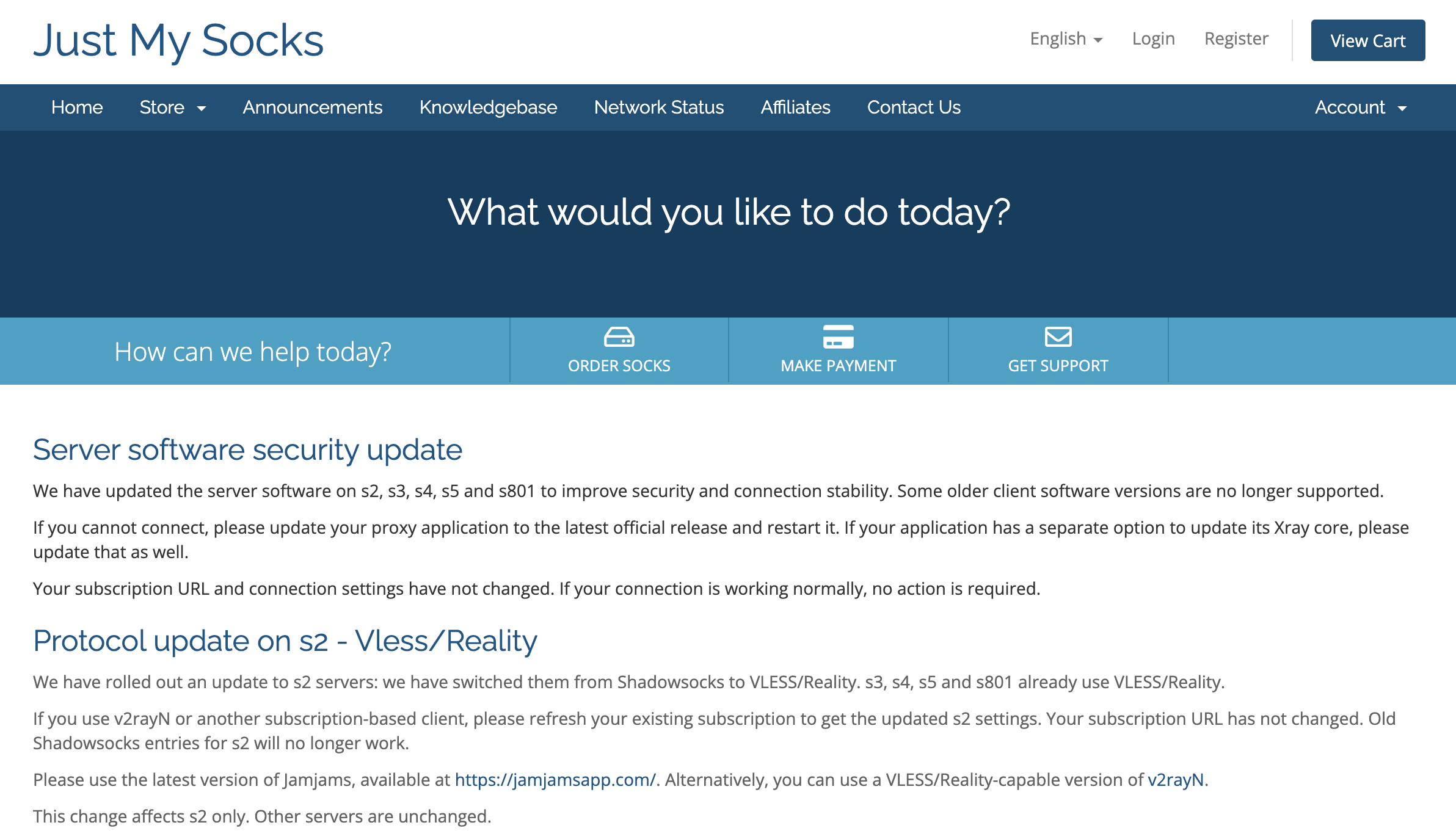
Click Register in the top-right corner of the home page. Fill in your details and complete registration
In Email Address, enter an email account you use and can receive messages at. The screenshot below shows the form opened by Register.
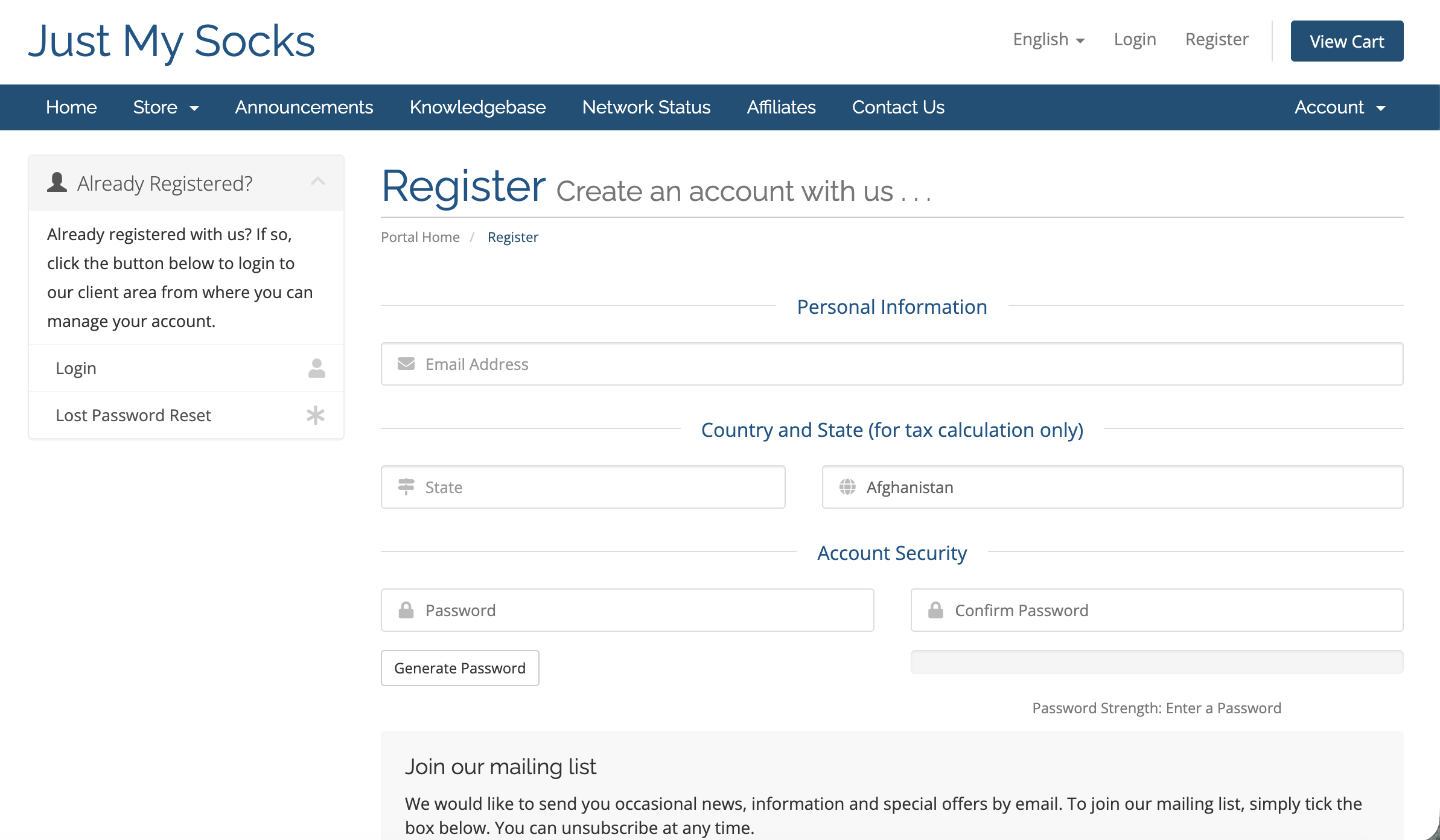
Registration form: enter your email, country and state, then set an account password. - Enter your actual country and state/province. Select your own country rather than copying the default selection in the screenshot.
- Set a strong password in Password, then enter the same password in Confirm Password. Make sure both entries match.
Check your email, country, state and password. Complete any required verification and terms confirmation shown on the page, then submit. If an error appears, correct it as instructed and submit again.
Open the plan order page
After registering and signing in to the client area, open the Services menu at the top and click Order New Services to reach the plan purchase page.
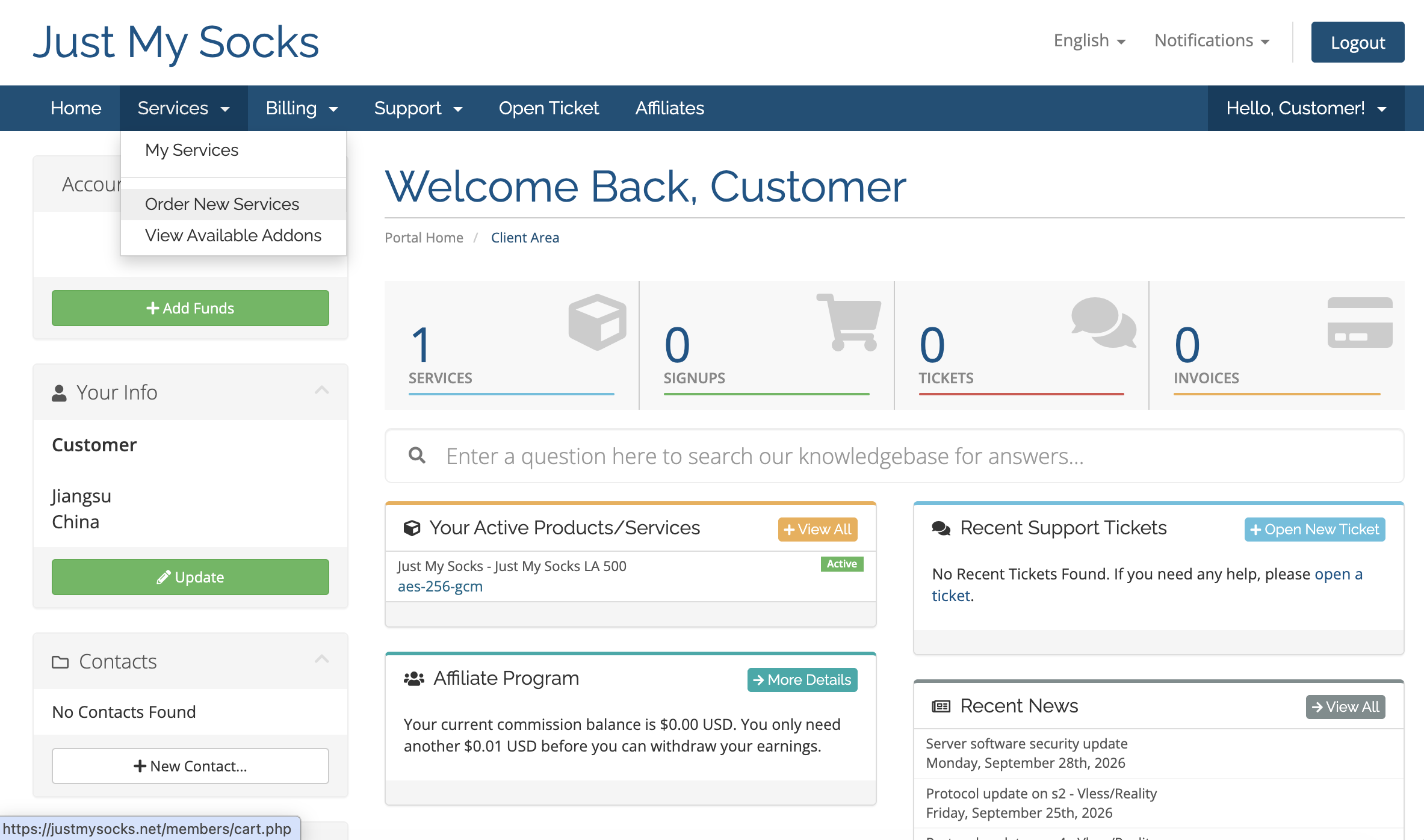
Services → Order New Services Choose a suitable plan
Choose a plan based on the location, monthly data and number of devices you need. This example uses Just My Socks LA 500 from the screenshot. Click Order Now beneath that plan to open the configuration page.
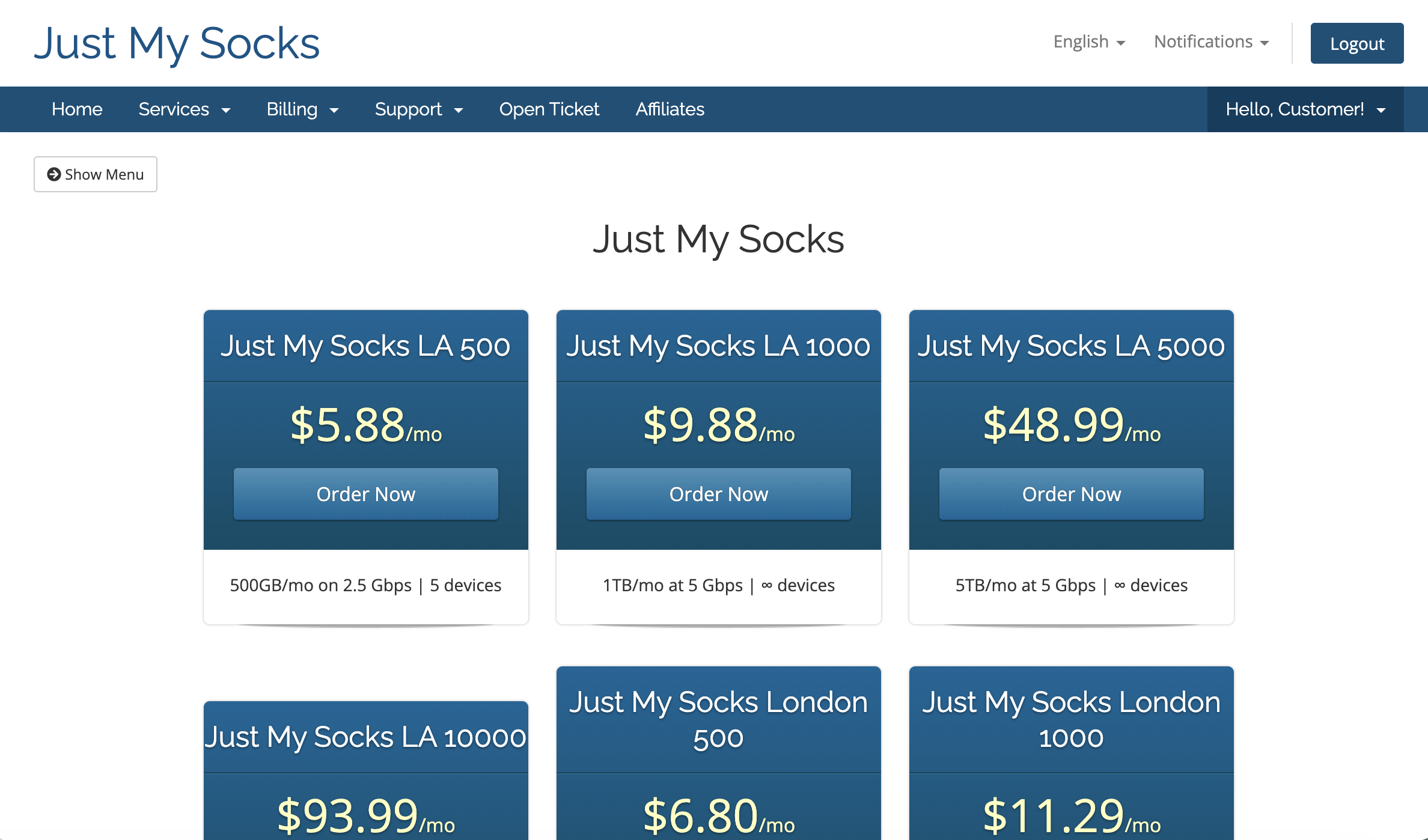
Just My Socks LA 500 · Monthly price: USD 5.88 Confirm your order and continue
On the Configure page, check the selected plan and its configuration. Select a billing period under Choose Billing Cycle, then review the amount in Order Summary on the right. Once everything is correct, click Continue to proceed.
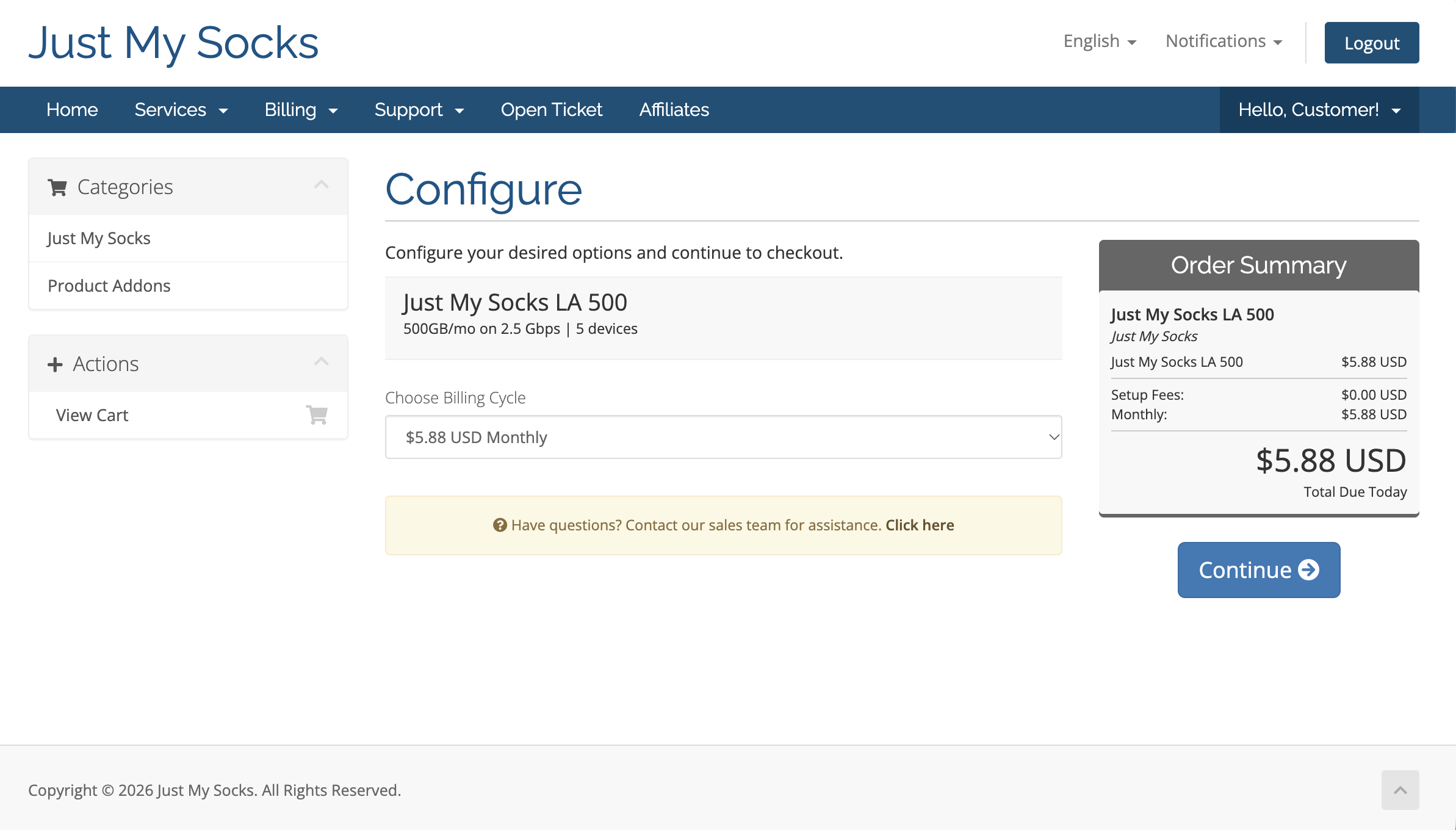
Choose Billing Cycle → Order Summary → Continue Review your order and check out
On Review & Checkout, check the plan, billing cycle and order amount. Enter the code below under Apply Promo Code and click Validate Code. Confirm the discount is applied and the amount in Order Summary on the right is updated, then click Checkout to continue.
Official promo code:
JMS9272283Save 5.2% on your first subscription and every renewal.
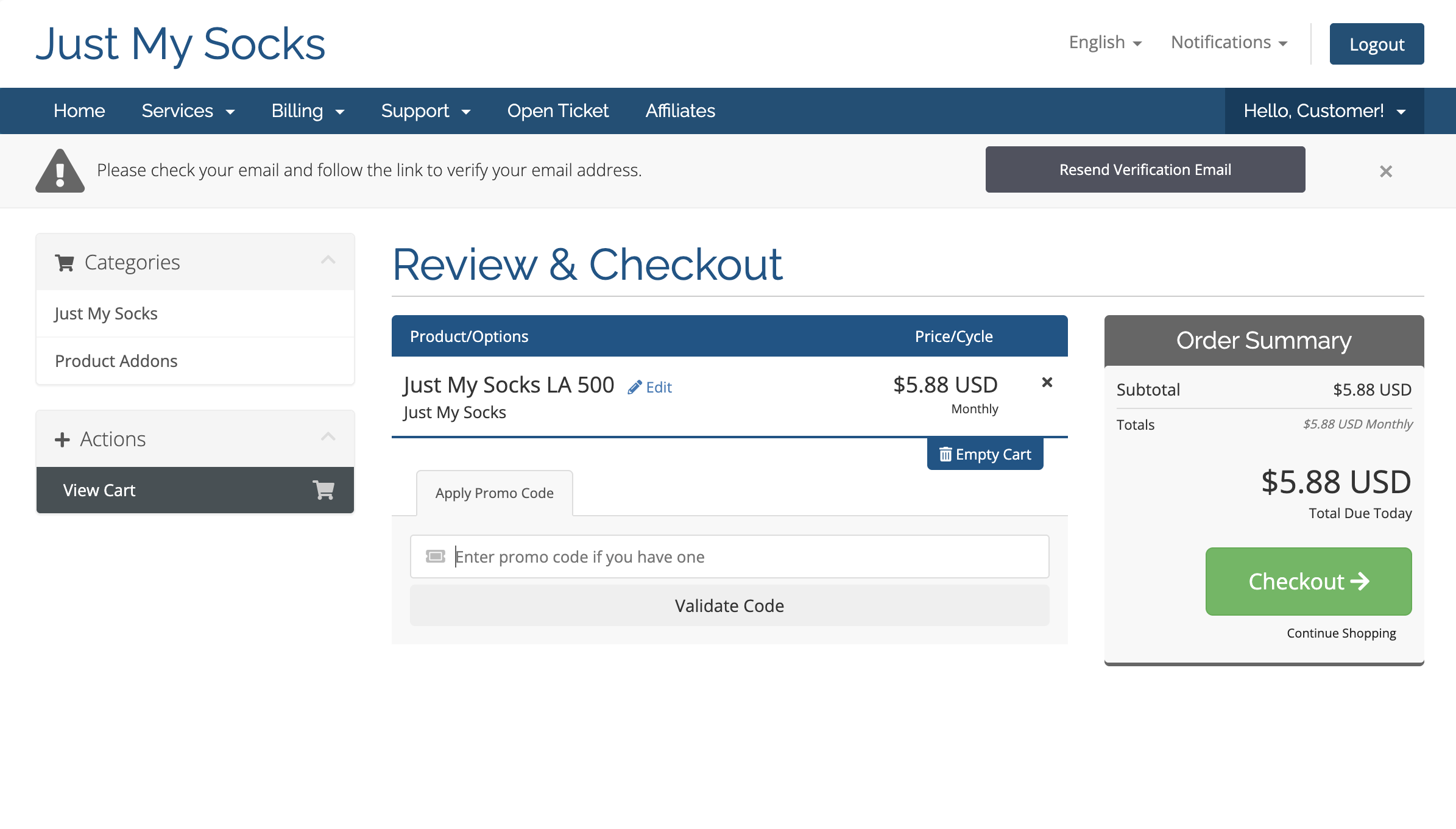
Review & Checkout · Apply Promo Code · Validate Code · Checkout Choose a payment method and submit the order
On the Checkout page, check your details and the total due, then choose an available payment method (Alipay in the screenshot). Read the Terms of Service and tick the agreement checkbox. Click Complete Order to submit your order, then follow the instructions to make your payment. Once payment is complete, your Just My Socks purchase is successful.
Just My Socks supports PayPal, Alipay and UnionPay. If your preferred payment method is not shown here, you can still click Complete Order after agreeing to the Terms of Service, then switch payment methods on the order details page before paying. In this case, follow step 9 to complete your payment. Otherwise, go directly to step 10.
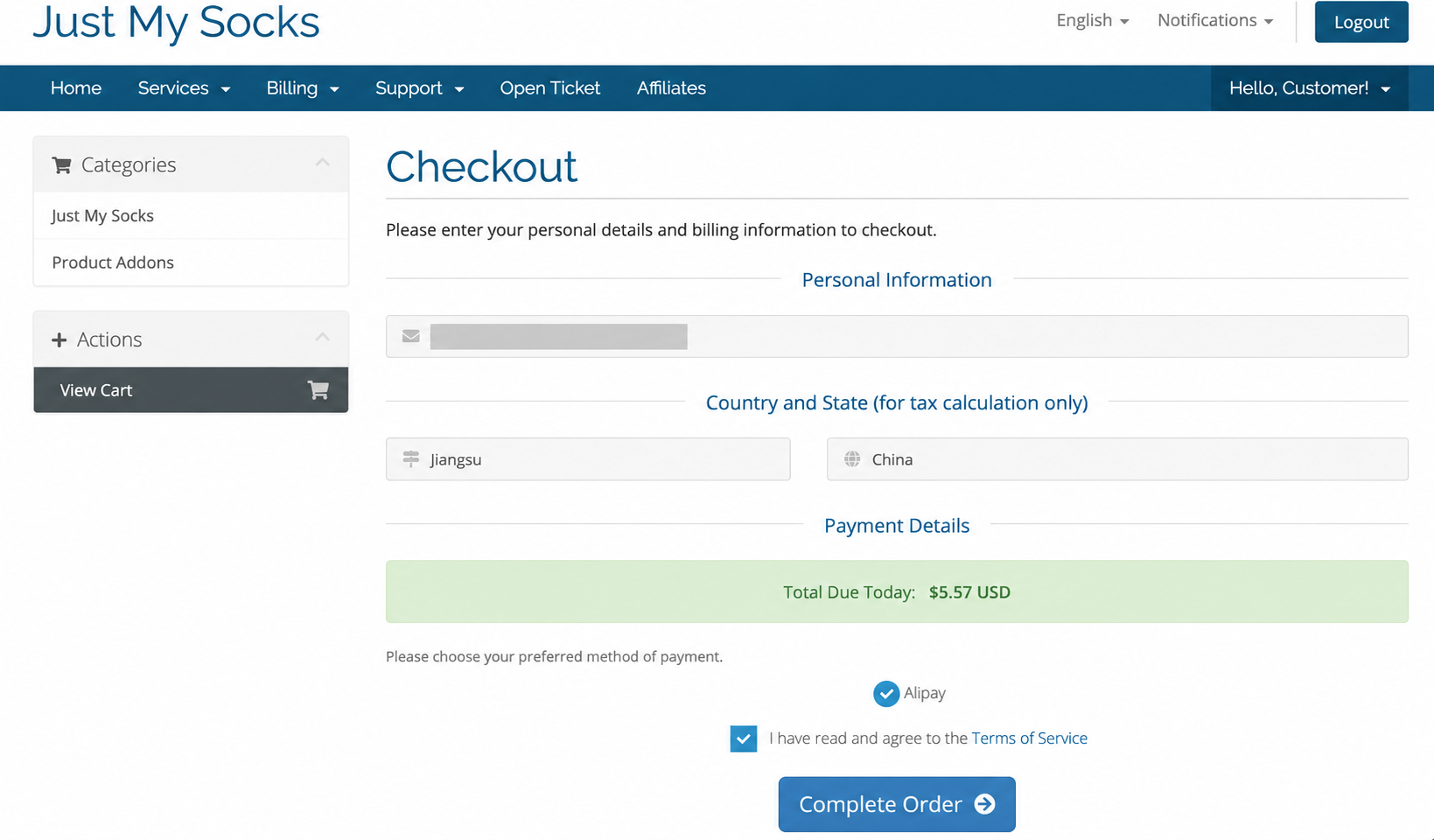
Alipay · Terms of Service · Complete Order Open the unpaid invoice
If your preferred payment method was not available on Checkout, submit the order as described above and return to the Just My Socks client area. Open Billing → My Invoices, then select the invoice for the order you just submitted with the status Unpaid to open its details.
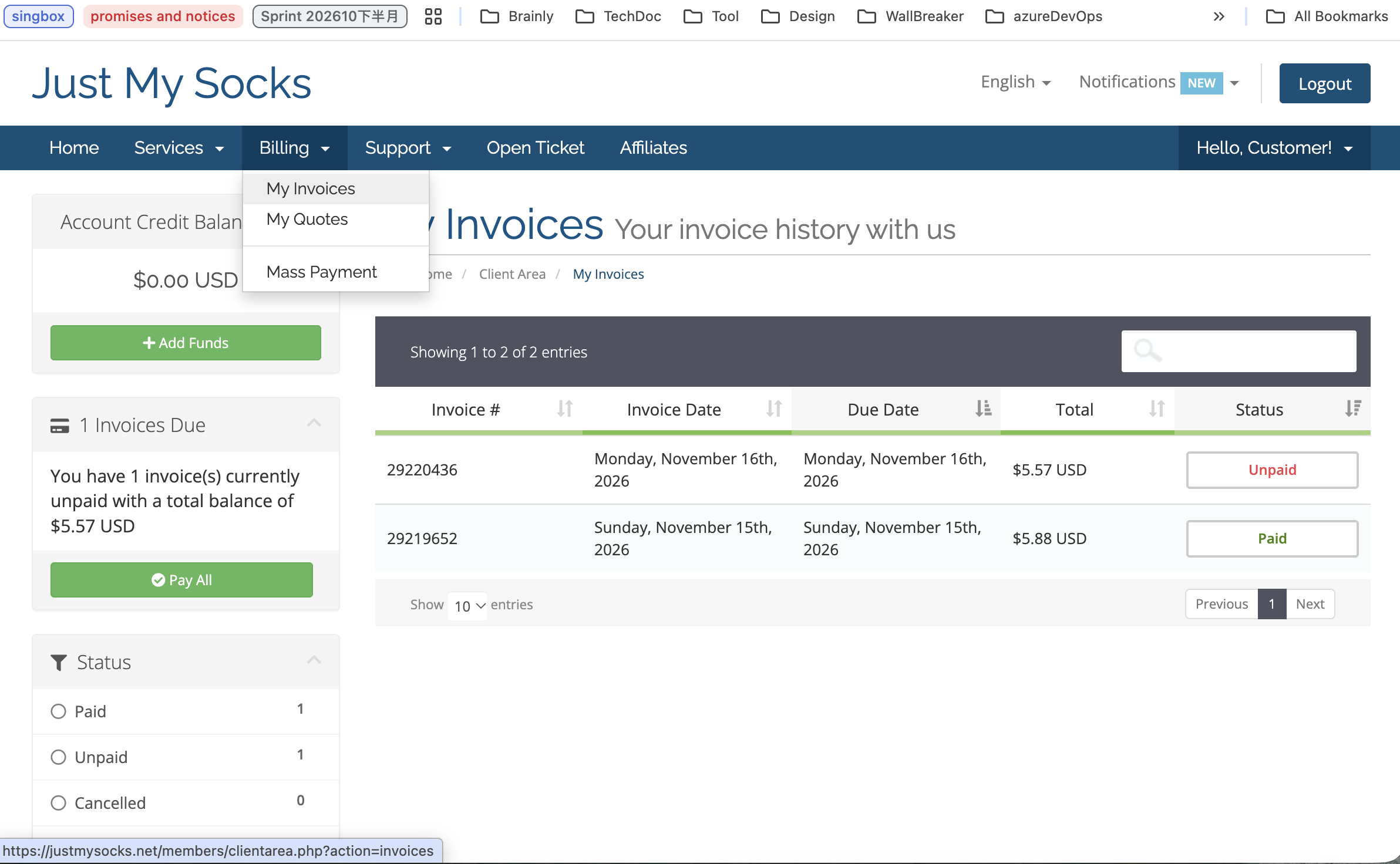
Billing → My Invoices → Unpaid On the invoice details page, open the Payment Method dropdown and select your preferred payment method. Then click Pay Now at the top of the page and follow the instructions to complete your payment.
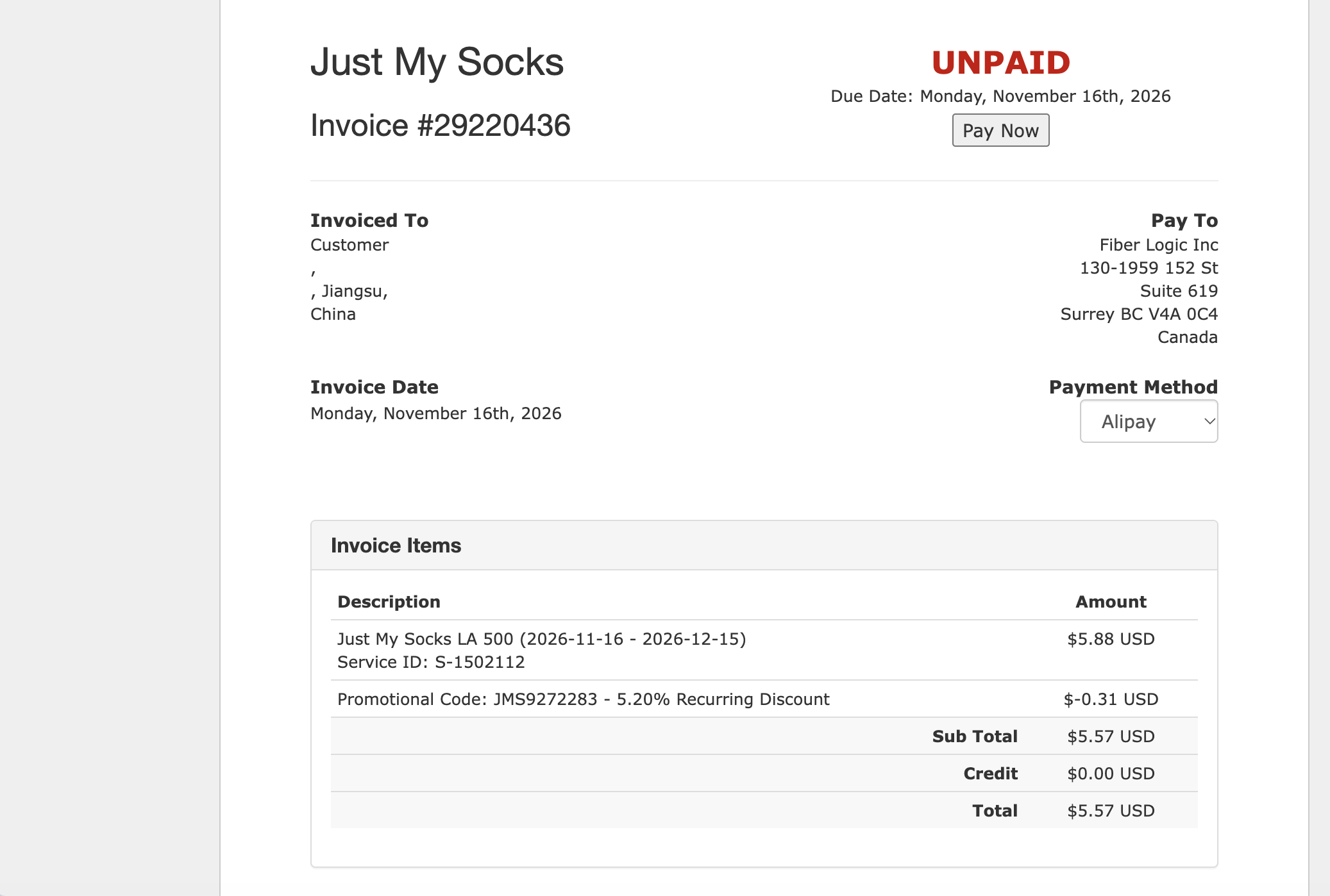
Payment Method → Pay Now Open your active service
After payment, return to the Just My Socks client area and open Services → My Services. Find the service you just purchased, check that its status is Active, then click that service to open its details.
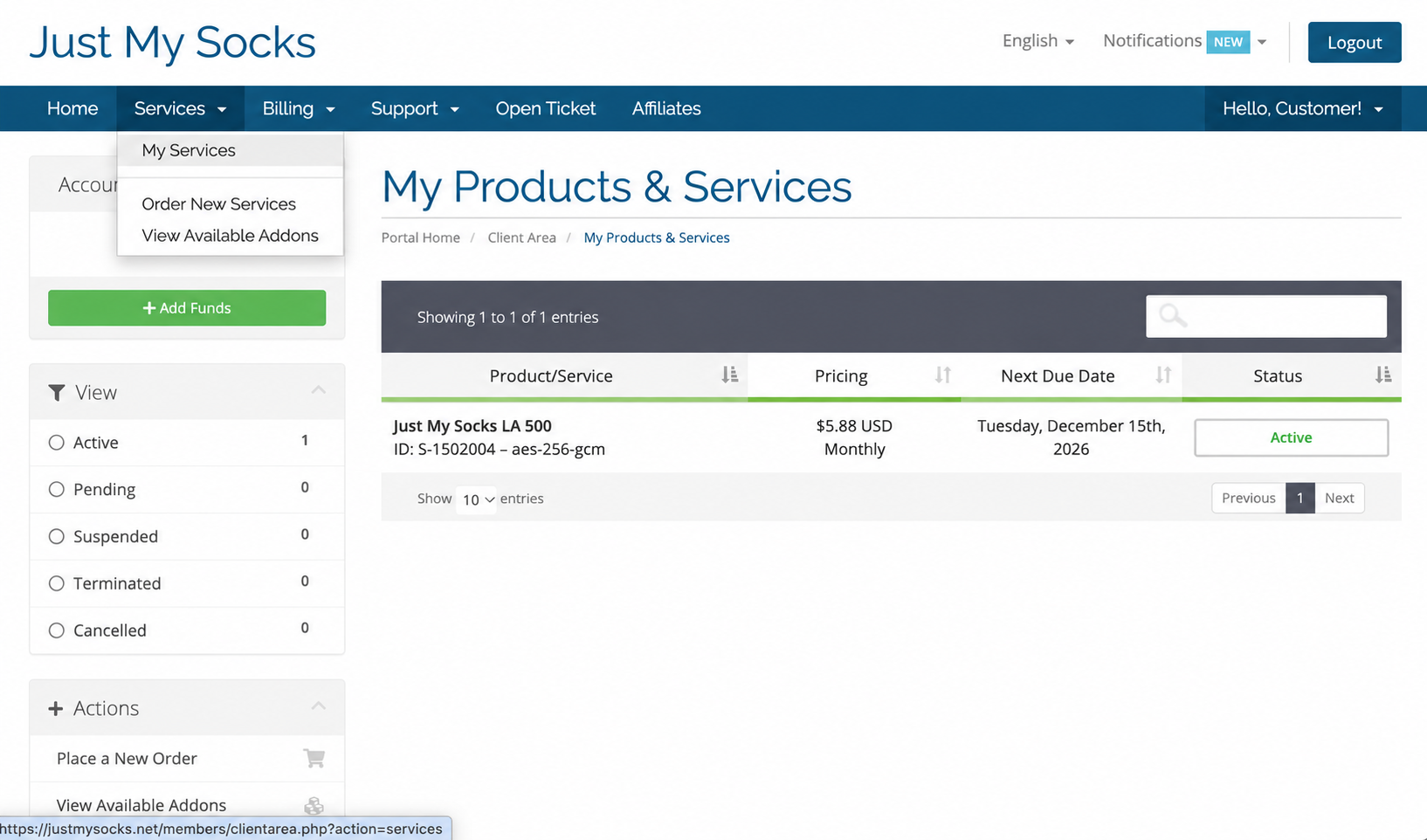
Services → My Services → Active Copy the standard subscription link
On the service details page, open the Subscription tab. Find Standard subscription and click Copy on its right to copy the complete subscription link from your account for importing into your client app.
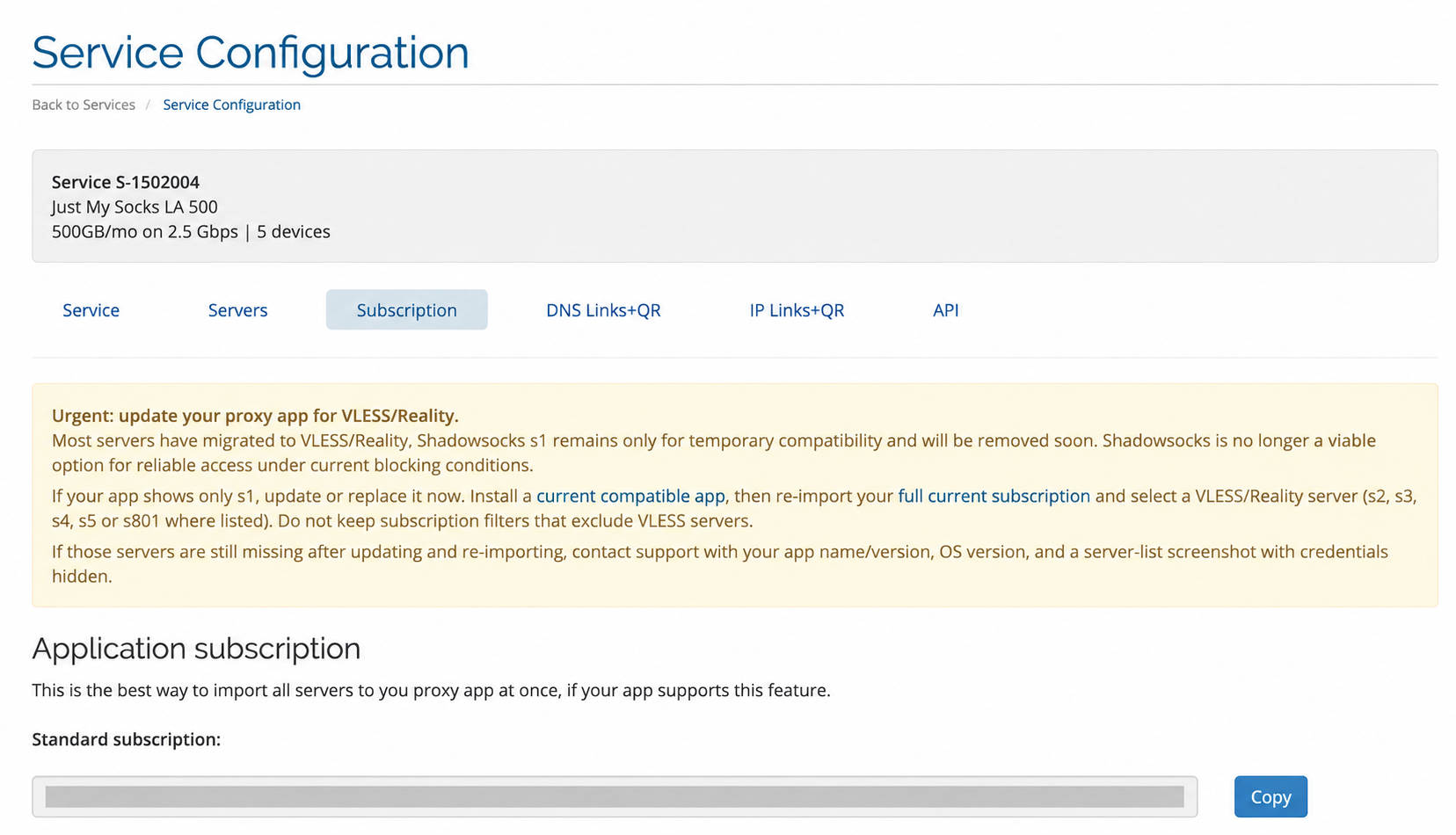
Subscription → Standard subscription → Copy Download the third-party client
This tutorial uses the third-party client OneXray. Open its official installation page below and find Choose your platform. Select the download for your device’s operating system and processor architecture, check the system requirements, then follow the instructions to install it.
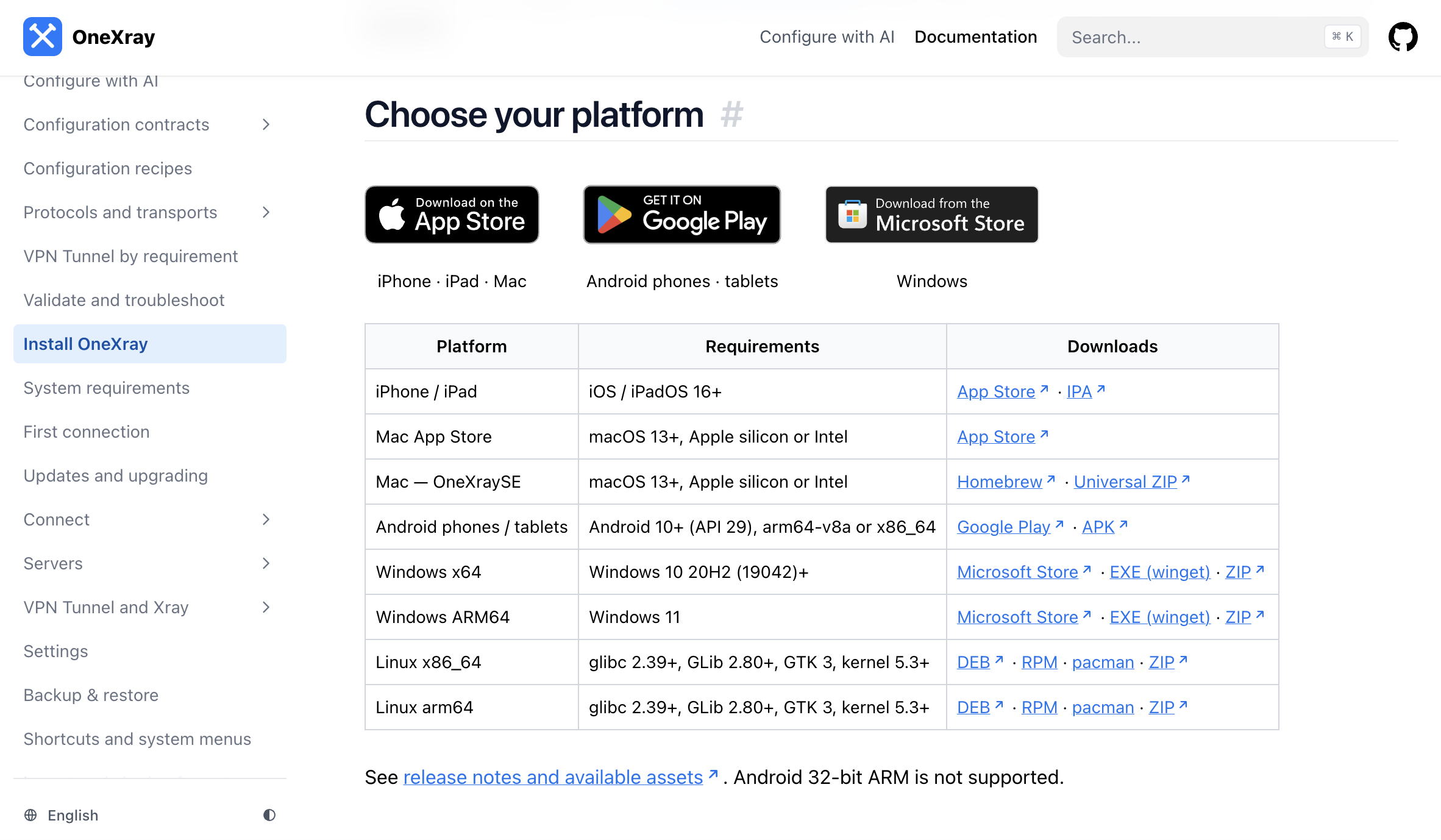
OneXray · Choose your platform Open Servers and add a server
Open OneXray and click Servers in the sidebar. On the Servers page, click the Add server button in the center to open the add-server screen.
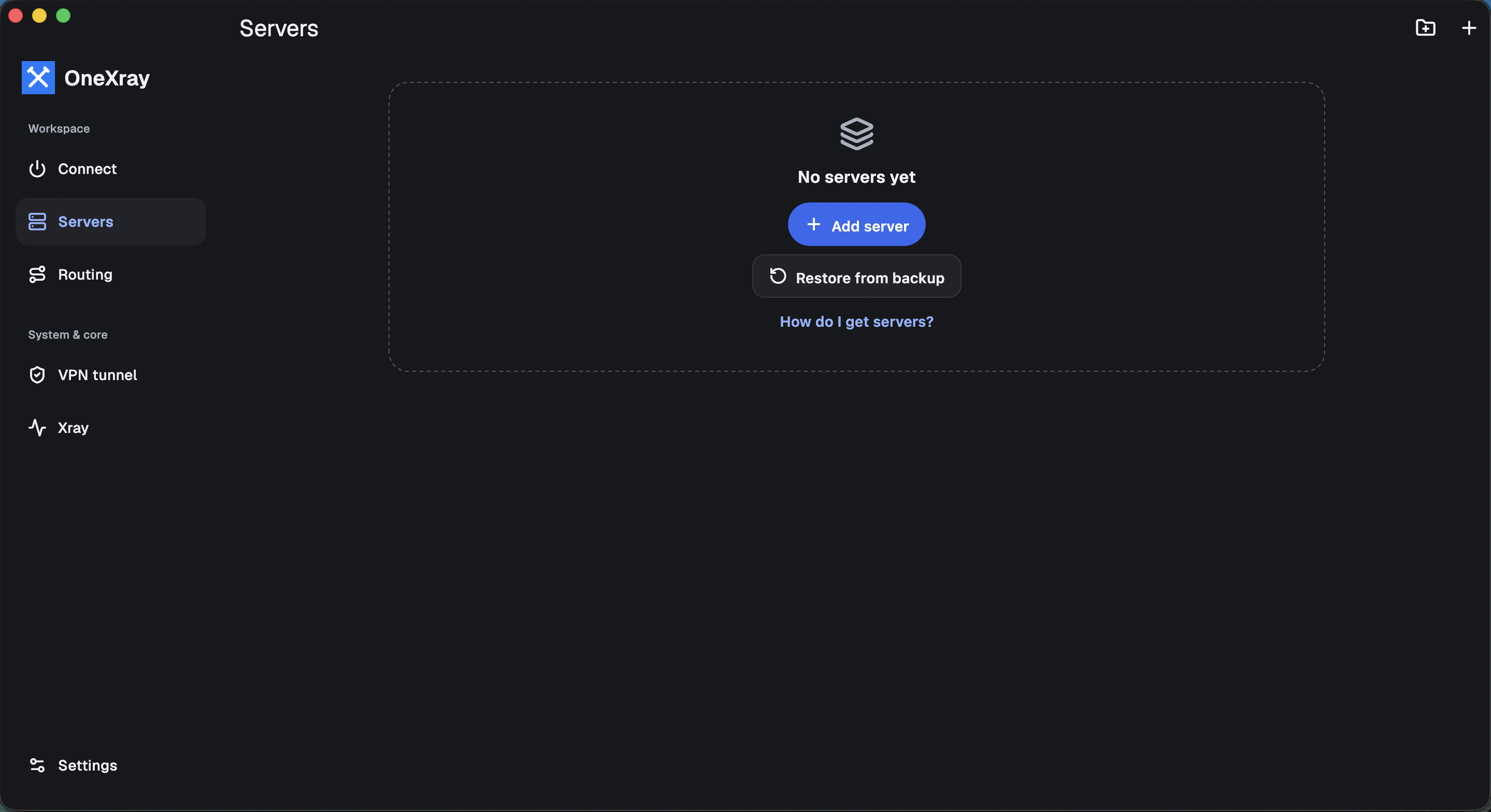
OneXray · Servers → Add server On the Add servers to OneXray screen, select Add subscription under Import method.
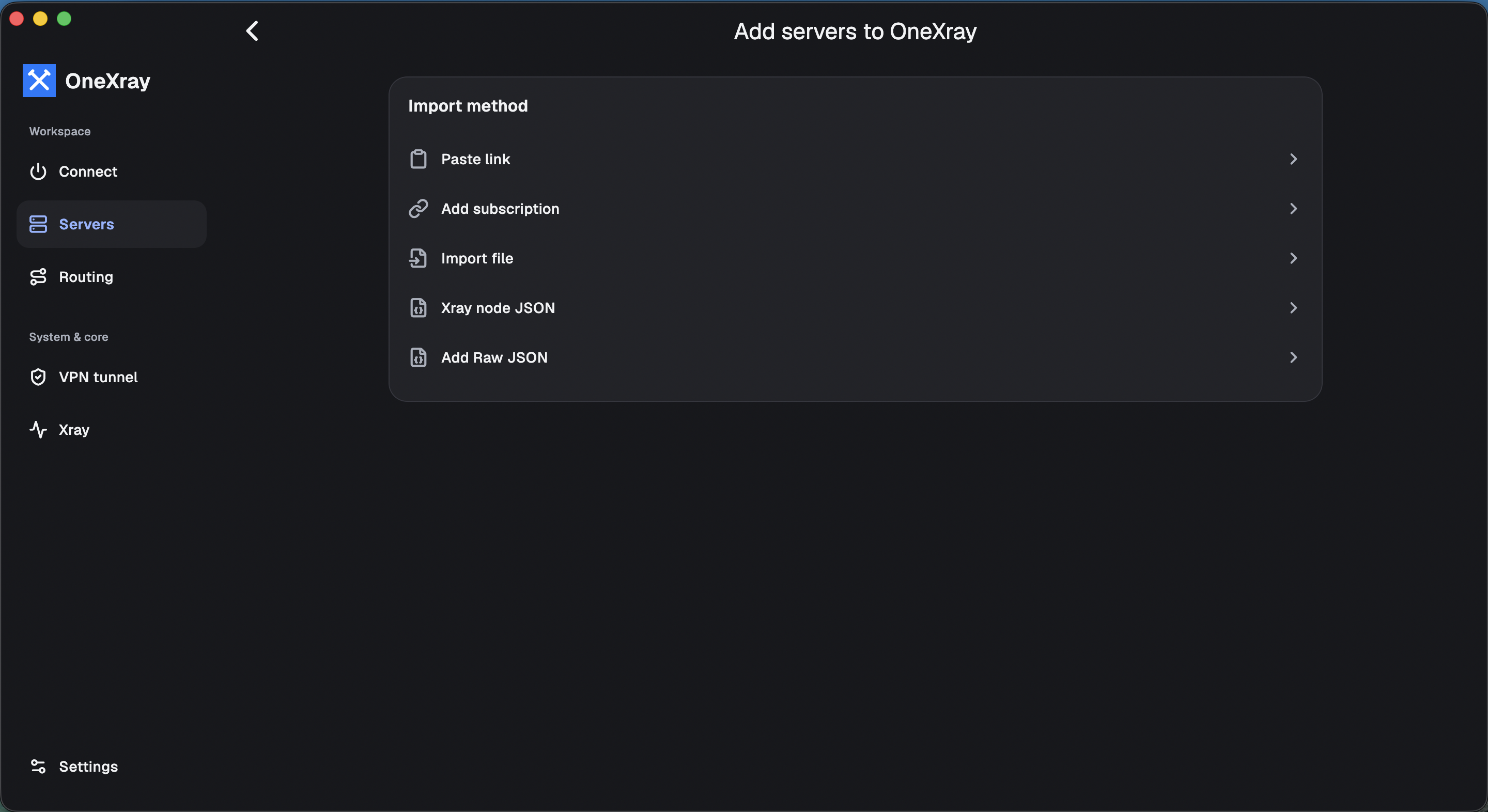
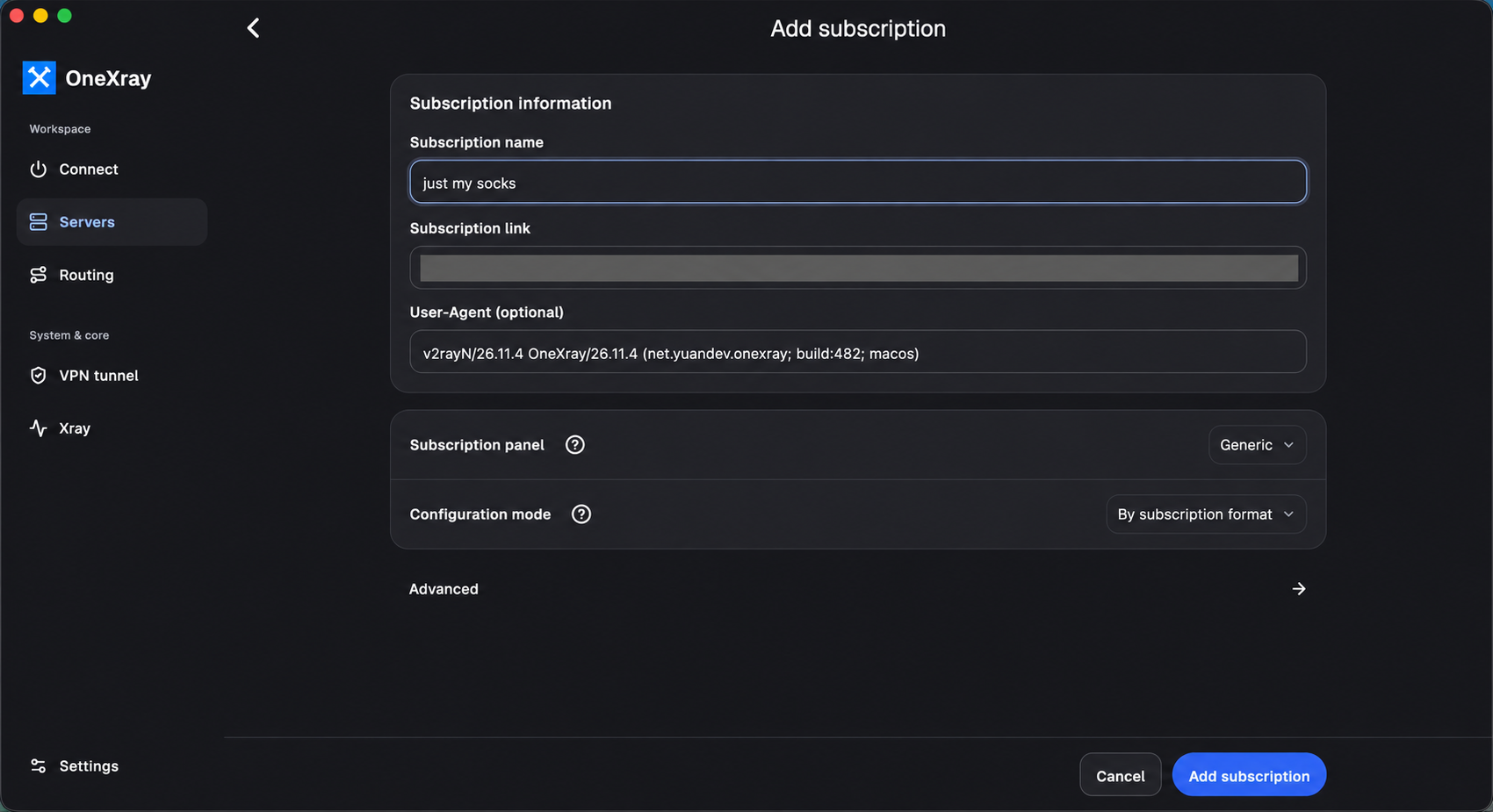
Import method → Add subscription In Subscription name, enter any name you like, such as “just my socks”. Then paste the complete Standard subscription link you copied from Just My Socks in step 11 into Subscription link. When both fields are filled in, click Add subscription at the bottom right to save the subscription.
Subscription name · Subscription link → Add subscription Connect to the internet
After adding the subscription, click Connect in OneXray’s sidebar to open the connection page, then click the blue Connect button. Once the connection is established, you can browse the internet through your Just My Socks service.
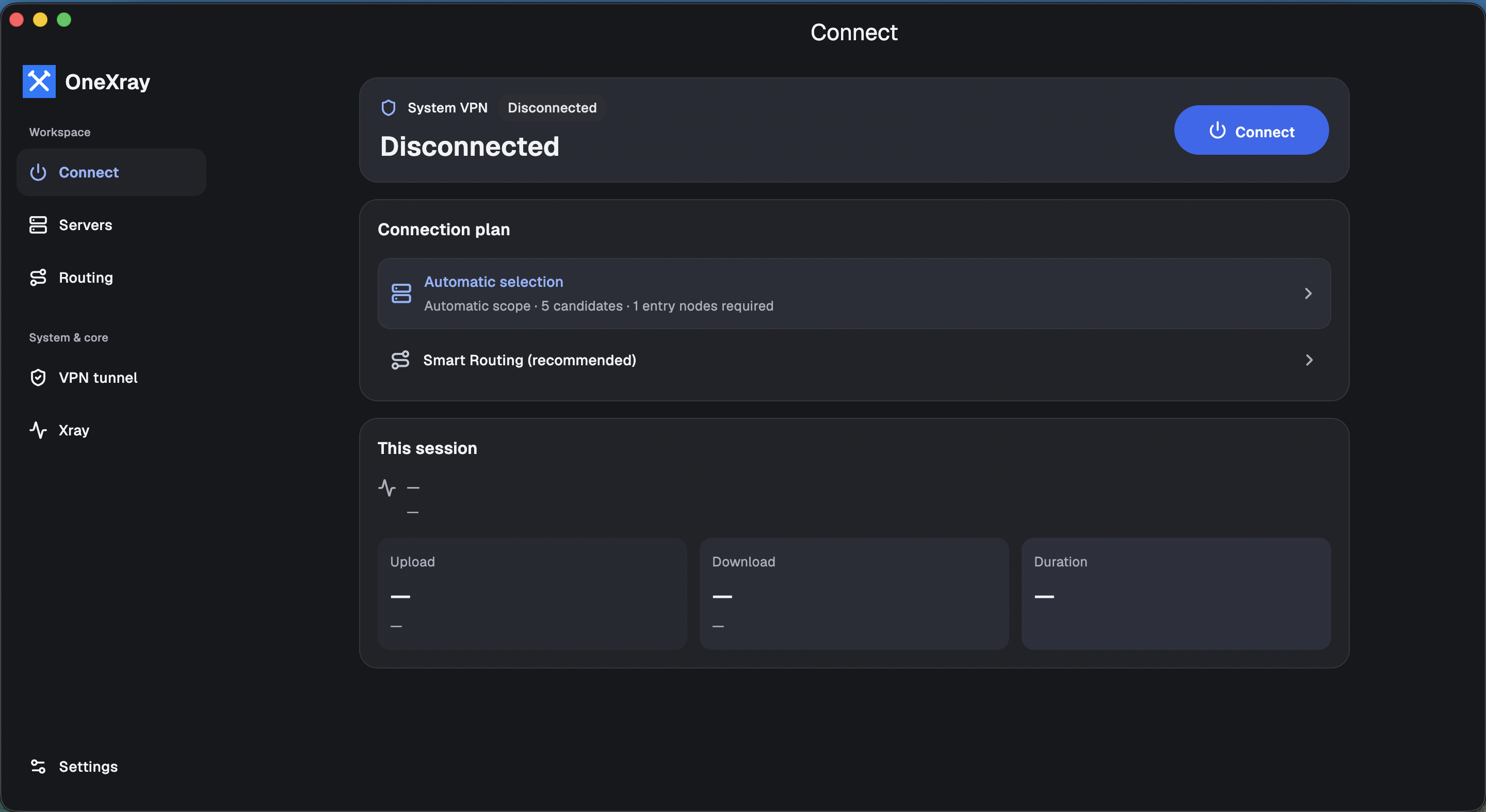
OneXray · Connect → Connect Request a refund if you are dissatisfied
If you are dissatisfied with Just My Socks, you can request a refund if you meet the refund conditions. See the guide below for the conditions and application steps.